

next pm suite

With this tool, you can quickly get an overview of all your projects—easily and online!

With next pm suite, project managers have an easy way to report on the status of their projects, and the PMO has an easy way to effectively prioritize projects based on strategy, feasibility, dependencies, and resource availability.

A quick start

A quick start

The technical setup is quite simple: Data is managed in an MS SQL database, a web server provides the functionality, and users access the tool via a web interface in their browser.

Typically, the customer hosts the technical infrastructure themselves; the system is already preconfigured in a way that makes sense. Master data such as strategies, resource types, or relevant project data fields can be modified and expanded by the customer.

However, next level consulting offers additional services as needed (customization beyond basic configuration, interfaces, or user training).

The next pm suite therefore helps the PMO quickly consolidate and visually present data from all projects. Help your management team make informed decisions about which projects to approve, prioritize, or halt.


Precisely tailored to your needs

Precisely tailored to your needs

The next pm suite already provides useful forms for efficiently entering projects and a range of different reports for prioritizing them.
However, you can specify who is allowed to view and edit existing projects, what data you need from projects for prioritization, and which of these details the project manager should maintain.
You can plan resources in the appropriate level of detail and, if necessary, aggregate them into a suitable structure for prioritization.

You can save your own report configurations as templates and generate meaningful analyses using filters, groupings, sorting, axis and scale settings, color schemes, and labels to effectively support your decision-making.

Take advantage of our expertise, which is based not only on hundreds of technical tool implementations but also on practical experience gained from managing and consulting/coaching on thousands of projects.

Flexible license model

IT und Software

Flexible license model

The next pm suite can be purchased outright or rented without an initial investment. The costs are based in part on the number of users, the number of active projects, and the features used.
For basic usage involving approximately 10 project managers and 20 active projects, the one-time purchase price is approximately 8,500 euros, and the rental fee (including maintenance) is approximately 325 euros per month (excluding VAT in both cases).

Using a pricing calculator, you can configure the tool to suit your needs, calculate the licensing costs yourself, and—depending on your experience and requirements—upgrade later (or, if you choose the subscription option, downgrade as well).

Project editor - Custom Tab

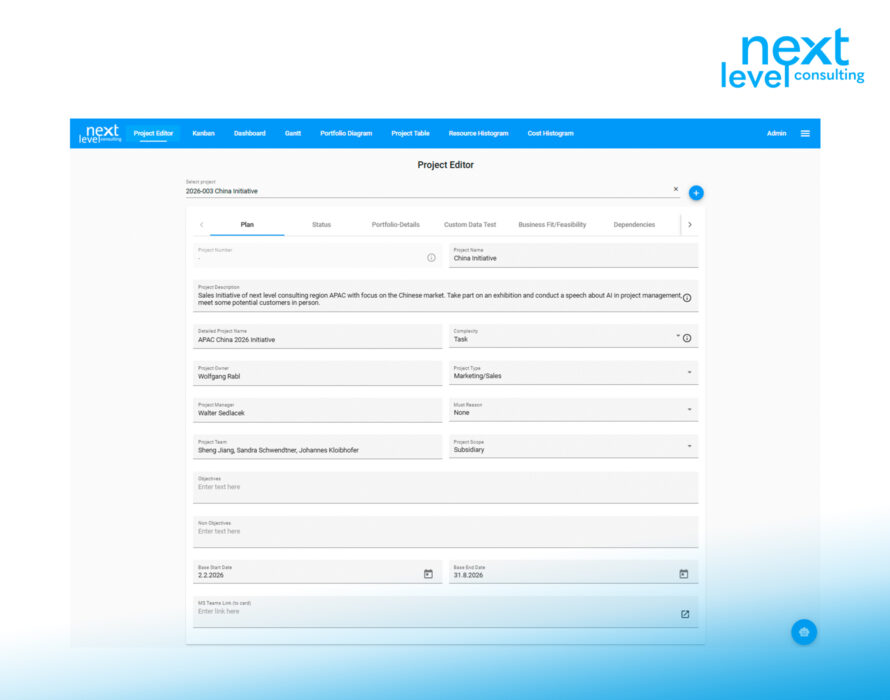
Project managers and other authorized users can use the project editor to edit their projects (create and update them).

An administrator can arrange standard fields—such as project name, project manager, project start date, project type, etc.—in any order on tabs, for example, to group relevant fields together for a status report.

Depending on the field type and configuration, the project editor provides helpful information, such as a drop-down menu, a calendar icon, or an icon that allows you to click directly on a hyperlink.

Project editor - Custom Tab
Project editor - Resource Tab

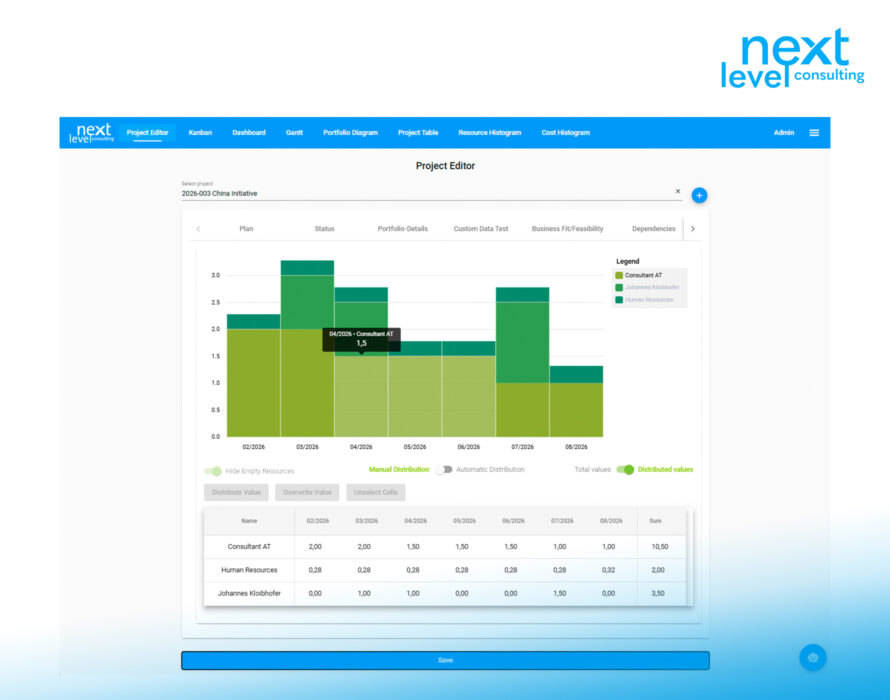
Total effort can be planned in the project editor using a customizable resource structure (down to the individual level, if necessary) and distributed either linearly over the current project duration or manually.

(Unless the project is planned at the work package level with deadlines and effort in another tool, such as Next Project)

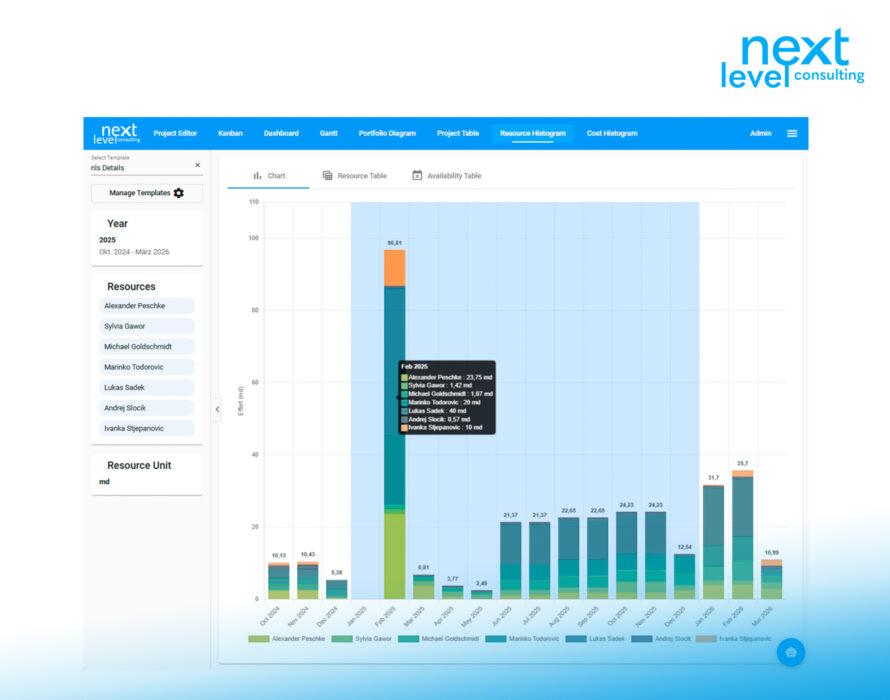
This allows you to verify, at the project portfolio level using a resource histogram, the extent to which sufficient capacity is available in accordance with all current project plans.

Project editor - Resource Tab
Dashboard

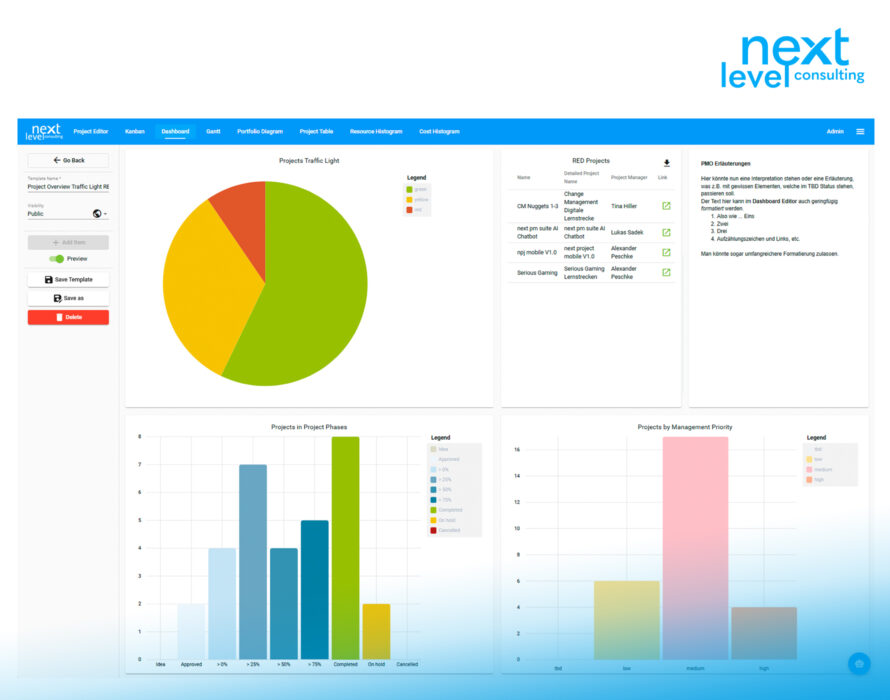
Configure dashboards tailored to your needs or those of management. Combine the widgets you need in a logical way to efficiently prepare for and conduct your project steering committee meetings.

Use simple tables or charts (such as pie charts or bar charts) to quickly get an overview of the status of projects in your project portfolio.

(e.g., a breakdown of current projects by their current traffic light status and a list of all projects with a "red" status, including relevant details—such as the project client).

Click on a segment to view a list of the included projects, or click on a specific project to go directly to the project editor for that project.

Dashboard
Project Gantt

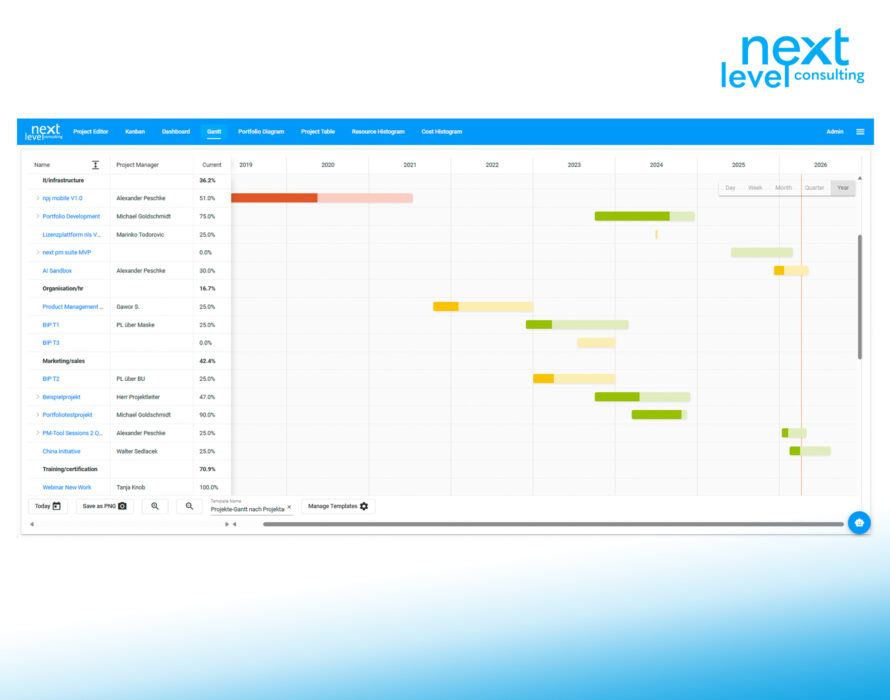
As in individual project management, tasks are visualized as time-proportional bars; however, in project portfolio management, you can configure which projects are filtered and how they are grouped and sorted.

Are the projects visualized as individual bars, or are they also displayed with their initial baseline plan and the underlying milestones and dependencies?

Decide which additional project information should be displayed as text in the columns, or according to which criteria the project bars should be colored.


Project Gantt
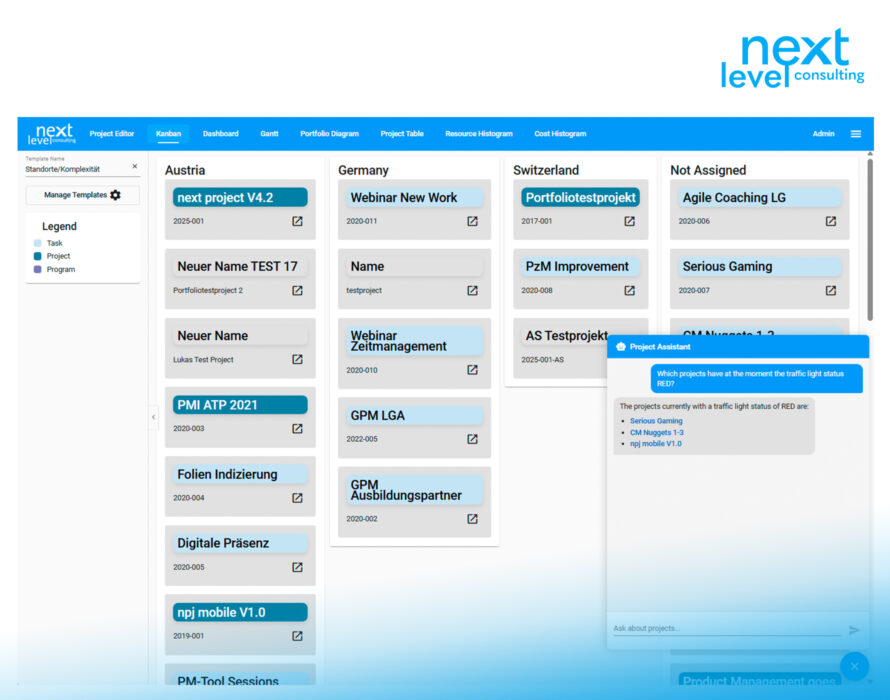
Kanban Board

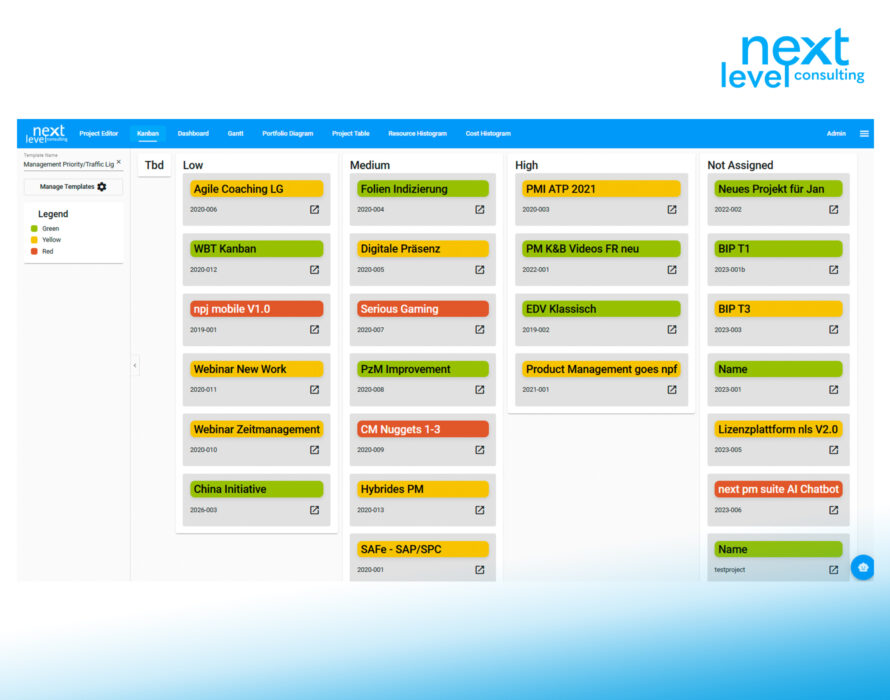
Take advantage of the Kanban board method—which has been in use for decades and is well-established in agile individual project management—adapted for modern project portfolio management.

Choose a structure (buckets) for your board, where projects are displayed as cards with the desired project information in text form and color-coded.

If necessary, make decisions in the management view and document them directly in the tool (e.g., by dragging and dropping projects into a different management priority bucket).

Click on a card to navigate directly to the project details if you need additional information in the management view to make a decision.

Kanban Board
Project Portfolio Chart

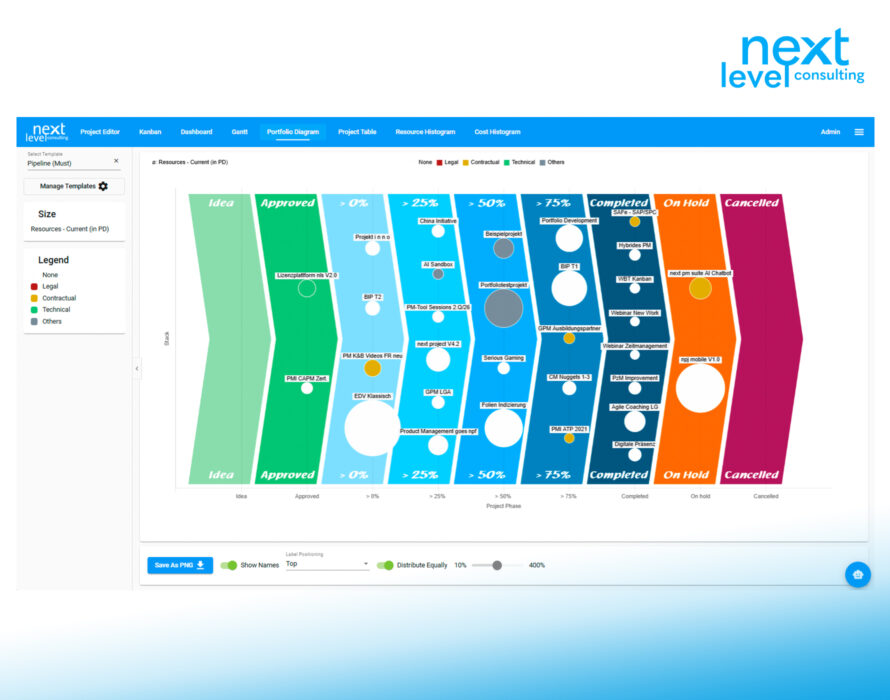
As with next portfolio, one of the most popular views is the project pipeline, a specific configuration of the portfolio chart.

  • In the portfolio chart, you can customize the layout using filters, axis settings, and bubble size and color (as well as other parameters).
  • In the project pipeline, standardized phases are plotted on the X-axis in a logical sequence, and a corresponding background image is added.
  • Use this to identify trends or derive strategies and decisions for projects in a specific segment (e.g., low strategic fit, high risk).
Project Portfolio Chart
Resource histogram

Based on continuously updated project schedules and workloads, resource requirements and availability can be analyzed and aligned in the resource histogram. View entire departments at a high level or focus on specific bottleneck resources to determine the extent to which project needs can be met.

Resource histogram
Projects table

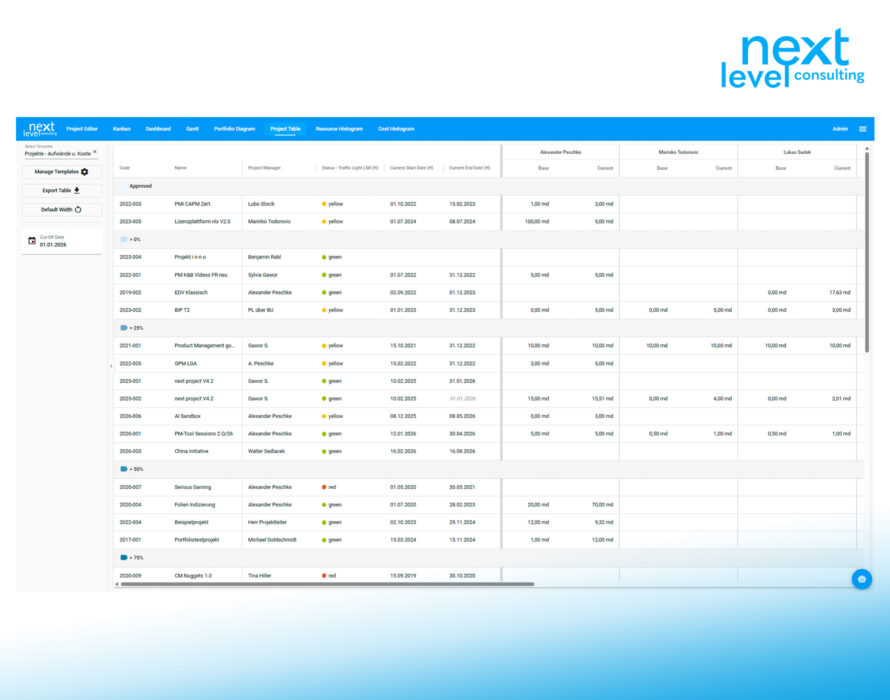
The project table provides the most information about the projects:

  • Filter, group, and sort the projects as needed to support the project steering committee’s decisions.
  • Simply select and arrange the columns to your desired width, and save a variety of templates for different information needs and target audiences.
  • Export the comprehensive project information as an MS Excel file, which you can distribute, analyze further, or import into a third-party system.
Projects table
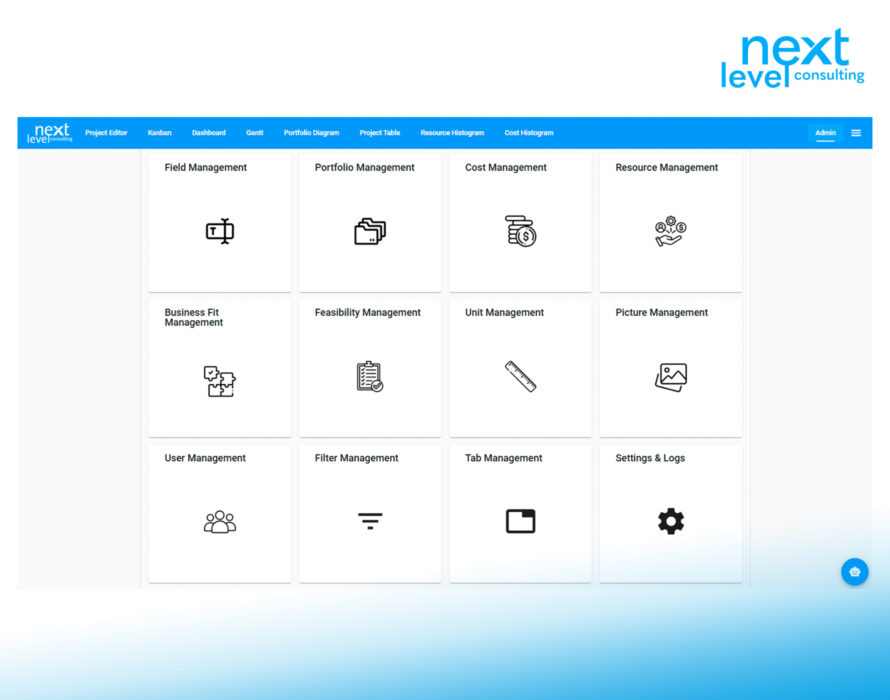
Administration
  • Manage: users, fields, structures (resource and cost types, project types, project phases, strategic directions, etc.), filters available for templates, background images, and the permissions that determine which tabs and fields users can edit.
  • Fields can be created and extensively configured based on the field type:
    e.g., drop-down options, custom colors, maximum values, default values, user descriptions, etc.
Administration
Other features
  • Let users of the next pm suite (project managers, PPF managers, PMO, PSK) choose their preferred language or design.
  • Use the built-in AI chatbot to explain how the tool works or to answer questions about the project portfolio and its projects. You can access the relevant editors and reports within the tool directly from the chatbot’s responses.

Project portfolio management has never been easier!

Other features

next project und next portfolio users

The development of the next pm suite is based on a Web Project Editor that complements next portfolio and therefore relies on the same database structure.

While the tool has evolved in terms of its web architecture and technical capabilities, it essentially offers similar reporting features.
Depending on the release, the next pm suite can be used alongside next project and next portfolio, or we can simply migrate the data for you.

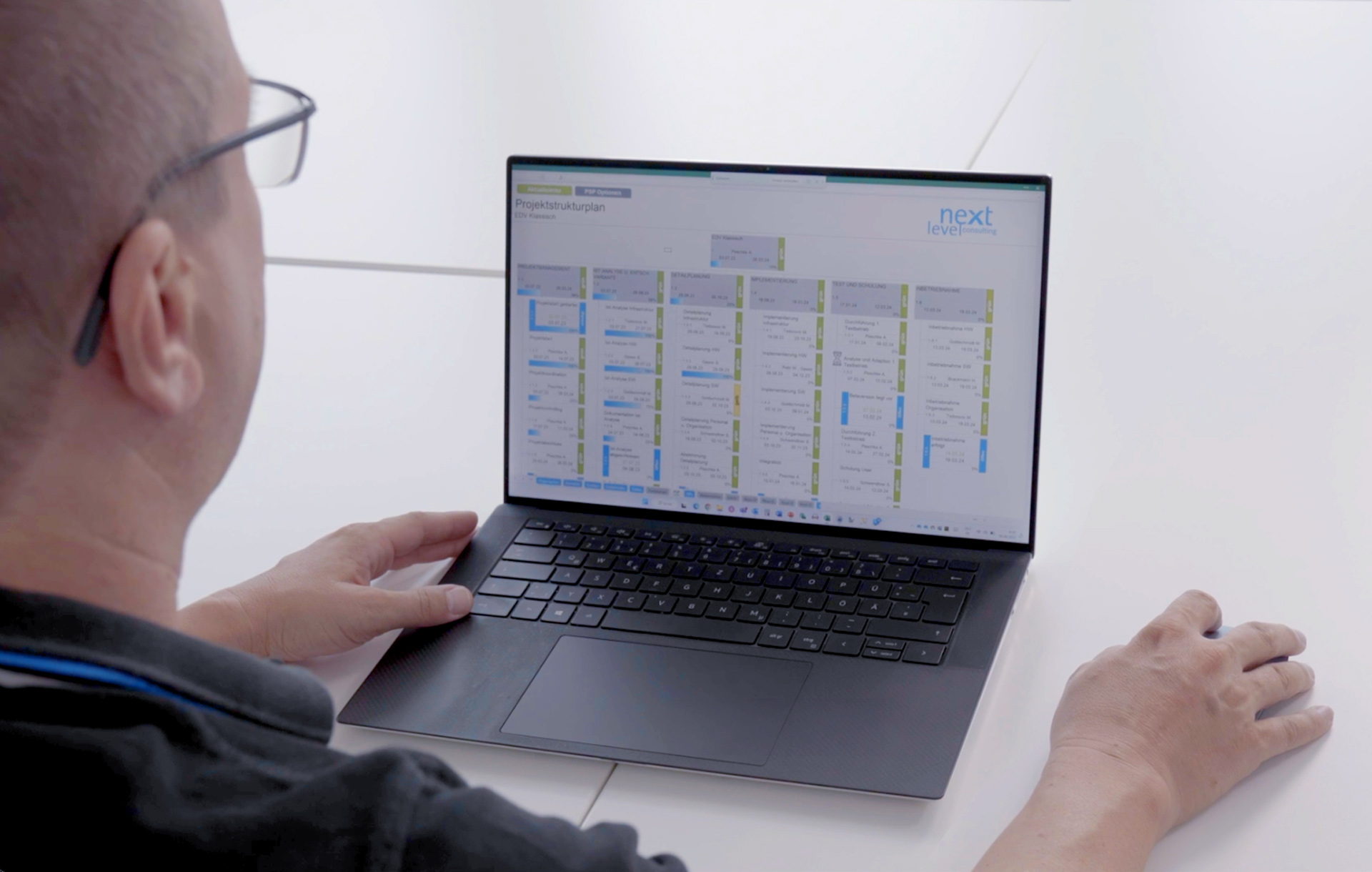
If necessary, plan simpler tasks directly in next pm suite or another tool, continue to manage projects with next project, and transfer relevant project data directly to next pm suite without having to enter it twice.